

Inked and Faded: A Custom WordPress Theme for a Tattoo Guide Site

A full redesign for a site of tattoo aftercare, tattoo and removal guides: a dark, photo-led look, a custom theme, five free tools and sources that readers can see at a glance.

Site
Inked and Faded

A guide site for tattoo aftercare, getting a tattoo and tattoo removal.

Services
Web Design and Development

A full redesign, a custom theme, a mega menu and five interactive tools.

Platform
WordPress

A custom theme in PHP, CSS and JavaScript, with no page builder.

Timeline
September 2026

Designed, built and launched within the month.

Where It Started

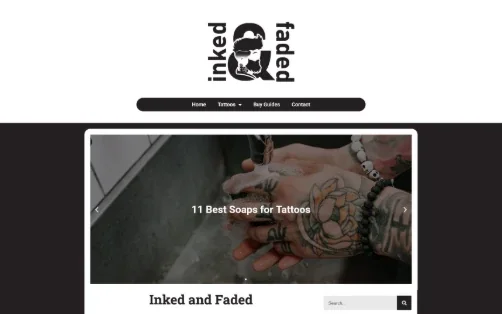
Inked and Faded publishes guides on tattoo aftercare, getting a tattoo and tattoo removal. Its previous design, built with a page builder, set a white page around a dark center band, with a sliding image banner and article cards of uneven heights, each with a short excerpt and a Read More link.

The articles were being rewritten to a higher standard, with a source behind every health claim. The design had to catch up: look like a publication readers can trust, make the evidence easy to see and load quickly on a phone.

The goals

What the Redesign Had to Do

Before and after

The Old Design Next to the New One

The homepage and the Tattoo Aftercare archive on a desktop screen. The before shots show the old design; the after shots were taken from the live site in September 2026.

The Homepage

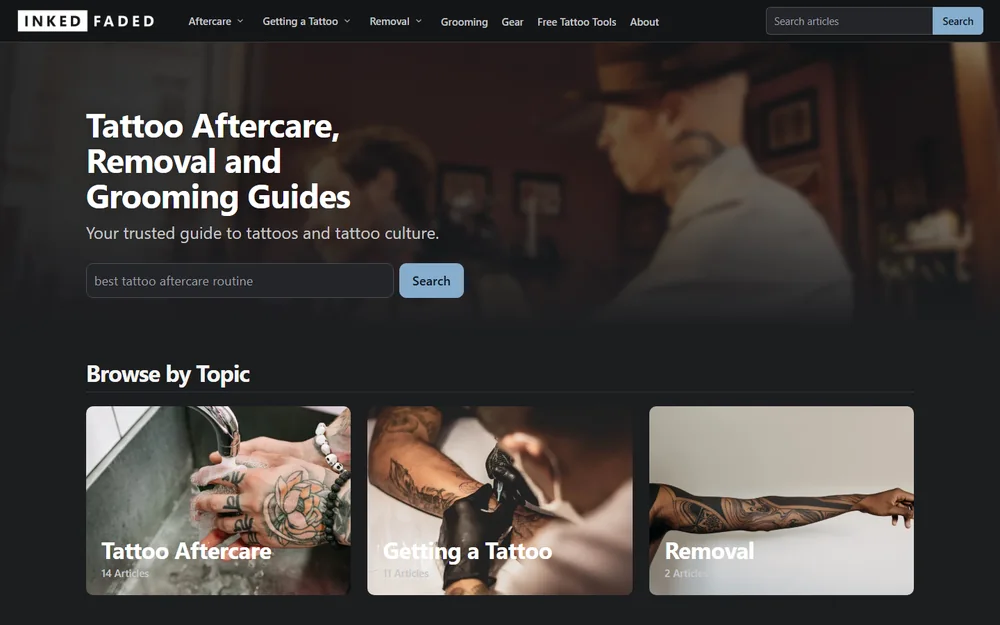
A centered logo and a sliding banner gave way to a photo hero with the headline, search up front and three topic cards.

Before
Inked and Faded's old homepage: logo, pill menu and a sliding image banner
After
Inked and Faded's new homepage: photo hero, search and topic cards

A Topic Archive

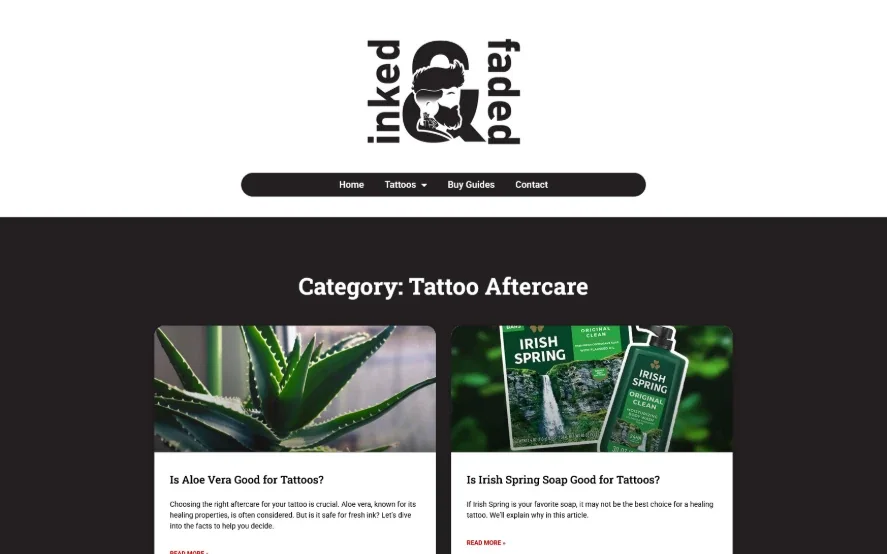
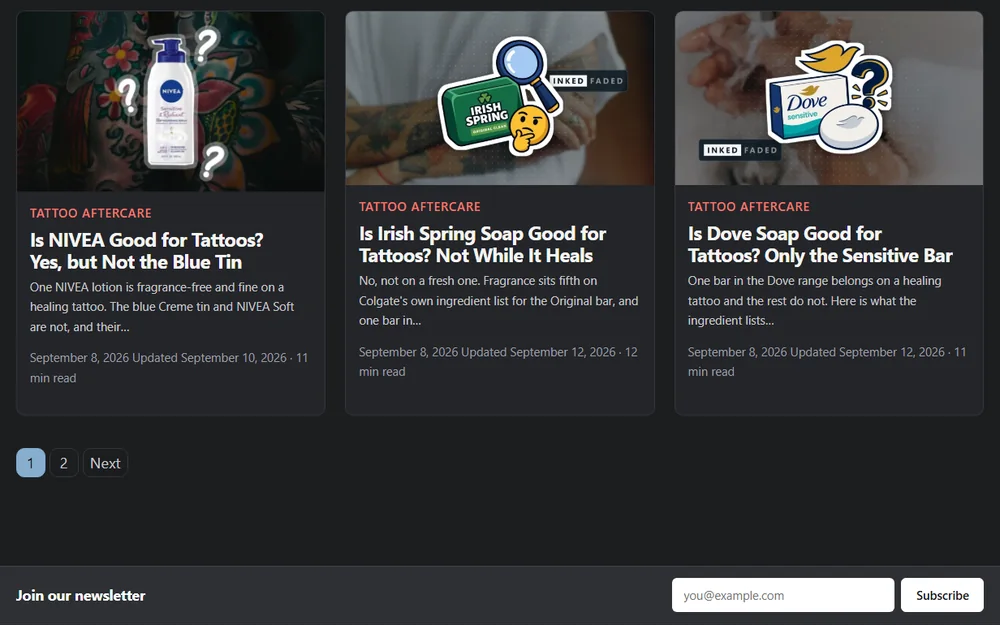
Two columns of cards became a grid of equal cards, twelve to a page, so every row fills whether it shows three, two or one.

Before
Inked and Faded's old Tattoo Aftercare archive: two columns of photo cards
After
Inked and Faded's new Tattoo Aftercare archive: equal cards with product images
Web design

The Redesign

The new theme is custom: every template built once, in PHP, with a single small script and no page builder. A guide site repeats a handful of layouts across every article, so each one was designed around how people read on a phone. Tap the numbered points on the screens below to see why each part is there.

An Inked and Faded article on a laptop: contents list, sources count and Recommended carousel
Contents that follow you

The contents list stays in view as you scroll and highlights the section you're reading, so a long guide is easy to move around.

Sources, counted

The byline counts the sources an article cites and links to a Sources list at the end. In the text, each citation is a small pill that names who said it, such as AAD or FDA.

One featured image style

Every featured image follows one template: a product cutout over a softly blurred photo, carrying the wordmark.

Recommended carousel

Square slides for the site's main product guides, with a red pill across the top edge. It plays on its own and pauses on hover, on focus or with its own pause button.

More on This

Related articles, each with its reading time, so the next read is one click away.

An article page

Tap a numbered point, on the image or here, to see why it's there.
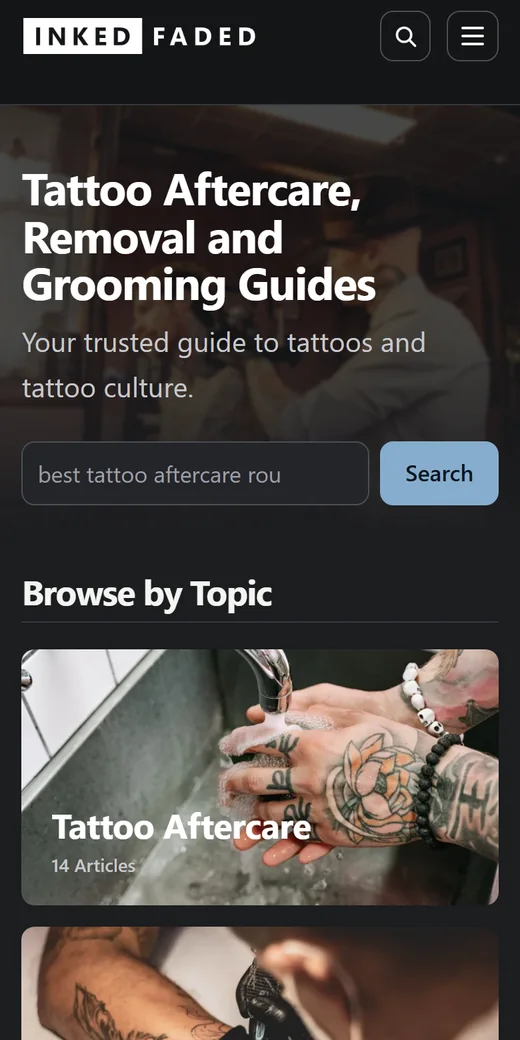
Inked and Faded's homepage on a phone: photo hero, search and topic cards
Two buttons on a phone

Search and the menu tuck behind two buttons. The menu opens each topic as an accordion with article cards you swipe sideways.

Photo hero

The blur is baked into the image file, in three WebP sizes of 17 to 45 KB, with a dark shade in CSS so the white headline always reads.

Search first

Search sits right under the headline, with an example query that shows readers what to type.

Topic cards

Browse by Topic cards, each with its own photo and a count of the articles inside.

The homepage on a phone

Tap a numbered point, on the image or here, to see why it's there.

Inked and Faded's mega menu open on the Tattoo Aftercare topic, on a desktop monitor
Opens without flicker

Aftercare, Getting a Tattoo and Removal each open a full-width panel. It opens on hover after a short delay, or from the arrow with a keyboard, and Escape closes it.

See every article

One button to the whole topic, with the number of articles it holds.

Photo cards

Five articles from the topic as photo cards: a lightly blurred WebP photo under a dark overlay, so the white titles always read.

Search on every page

Search sits in the header on every page on a desktop, and behind its own button on a phone.

The mega menu

Tap a numbered point, on the image or here, to see why it's there.
Interactive tools

Five Free Tools, Built Into the Theme

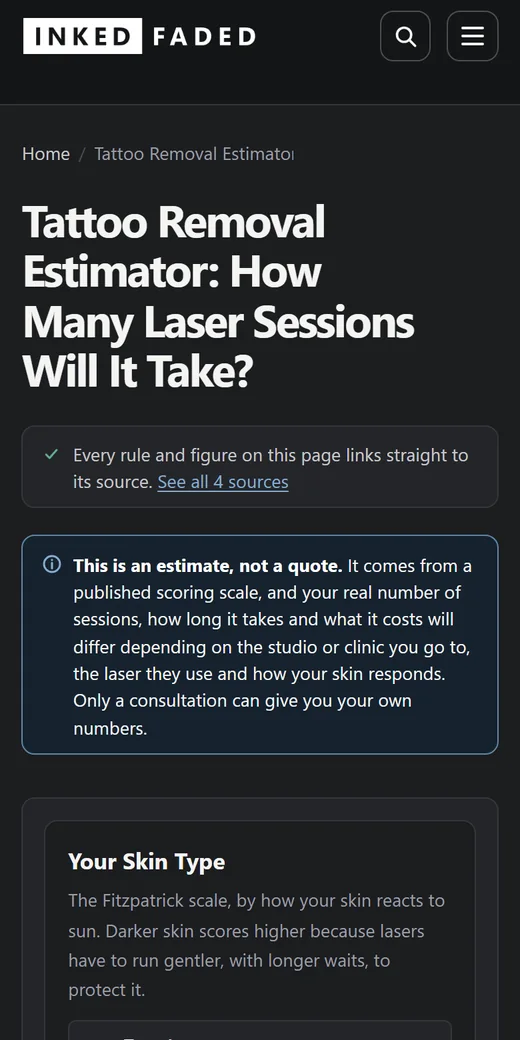
Readers arrive with practical questions, so the redesign added tools that answer them. Each one works with JavaScript switched off, because the server works out the answer, and updates live when JavaScript is on. Every rule and figure links to its source, with the date it was checked.

The Tattoo Removal Estimator on a phone, opening with its sources and an estimate notice
Speed and accessibility

Built to Load Fast and Read Well

Every page carries only what it uses. The homepage loads in 29 requests, photos included. A tool’s script loads on that tool’s page and nowhere else.

In short

What Inked and Faded Has Now

Currently taking new projects

Let's Work Together

Have a site whose design hasn’t kept up with its content? Tell me about it. You’ll hear back within two working days.